
Loading...
Upload your photo after unlocking, review the AI-assigned colors alongside the original, and download the colorized result. The colors are predictions, not a record of the scene's original appearance.
ArtImageHub's Photo Colorizer is an online workflow for creating a colorized copy of a black-and-white photo. After the $9.90 one-time unlock, upload a photo, review the AI-assigned colors alongside the original, and download the result. The colors are predictions; a black-and-white photo does not establish the scene's original colors. Choose a tool based on the workflow and controls you need, and consult historical references separately when color accuracy matters.
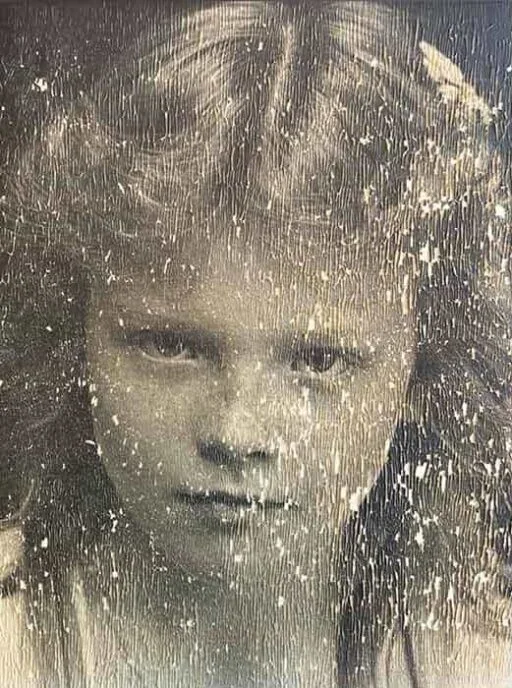
Before
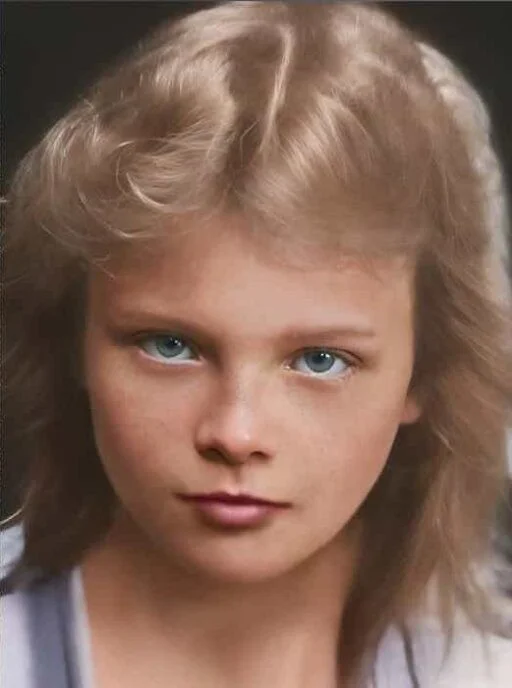
After
AI photo colorization adds predicted colors to black-and-white or grayscale photographs. The output is a colorized interpretation of the source image; the original photo does not establish the scene's original colors.
After the one-time $9.90 unlock, upload a supported photo, review the colorized result alongside the original, and download it. Supported formats:JPEG, PNG, and WebP files up to 20 MiB (20,971,520 bytes).
Color note: AI-assigned colors are predictions and may differ from the scene's original colors. Review the colorized result alongside the original; do not treat it as a historical color record without independent references.
Colorization also helps faded prints that have lost most of their color: if your photo is faded rather than black and white, read how to fix faded old photos first — restoring contrast and remaining color gives the colorizer a better starting point.
ArtImageHub Editorial Team · Updated October 1, 2026
Scan well first. Scan at 300 DPI or higher and remove dust from the print and scanner glass before scanning — dust spots read to the model as image content and get colored along with everything else.
Understand what the colors are. The AI predicts plausible colors from the era and scene — skin, sky, foliage, and common clothing colors usually look natural, but specific details (a dress's actual color, a car's paint) are guesses. Check skin tones and period clothing against any references you have, such as other photos from the same event.
Considering another tool? Compare available features and workflows for colorizing old photos.
Price models differ: RestoreYourPhoto charges per photo ($0.44–$0.70 each, depending on the credit pack), while ArtImageHub charges a one-time $9.90 unlock. Prices verified 2026-11-11.
MyHeritage's animation tool vs specialized AI restoration.
ReadGenealogy giant's AI photo features vs a focused colorizer.
ReadManual coloring and AI colorization workflows.
ReadMobile photo scanner with AI vs a web-based colorizer.
ReadFace enhancement and photo colorization workflows.
Read