
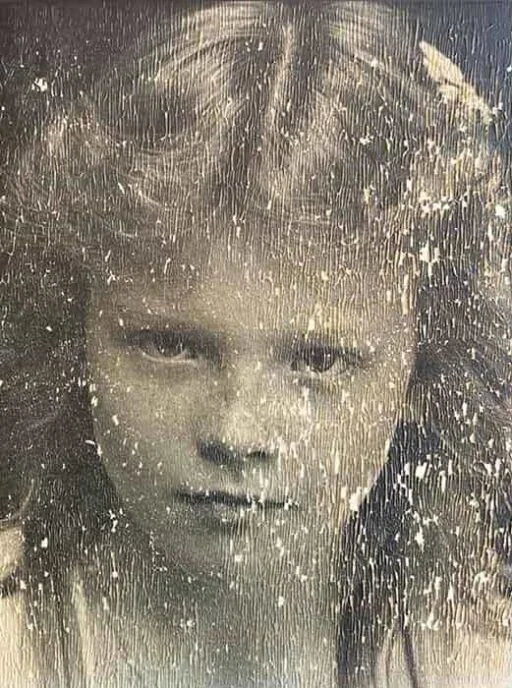
Before
After
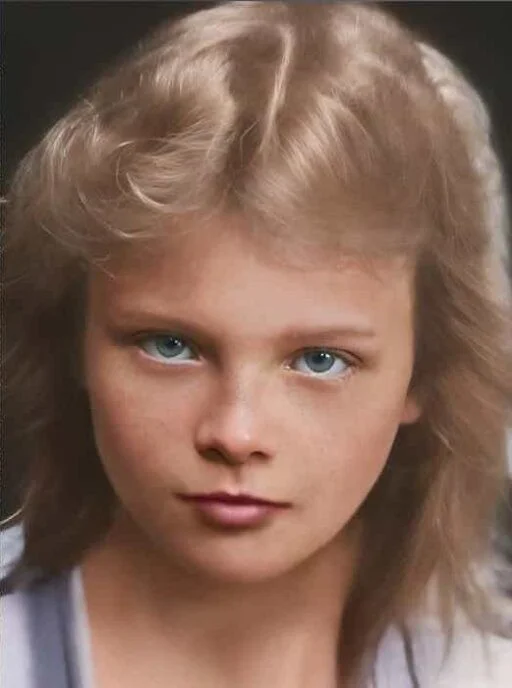
Faded child portrait
Damage: Heavy scratches, fading, and surface damage from an old portrait scan.
Result: Improved face detail, color, and tone for a cleaner restored portrait.
Loading...
Last updated: October 2, 2026 by ArtImageHub Editorial Team
AI fixes scratches, fading, blur, and water damage on old family photos. One-time $9.90 unlocks upload, processing, and HD download.
Restoration ideas
Restore a faded family portrait
One-Time Payment
No subscription, no recurring fees
Secure & Private
Encrypted upload and download
Proof Before Promise
See the kind of restoration results customers get — from faded family portraits to water-damaged prints.
Before
After
Damage: Heavy scratches, fading, and surface damage from an old portrait scan.
Result: Improved face detail, color, and tone for a cleaner restored portrait.
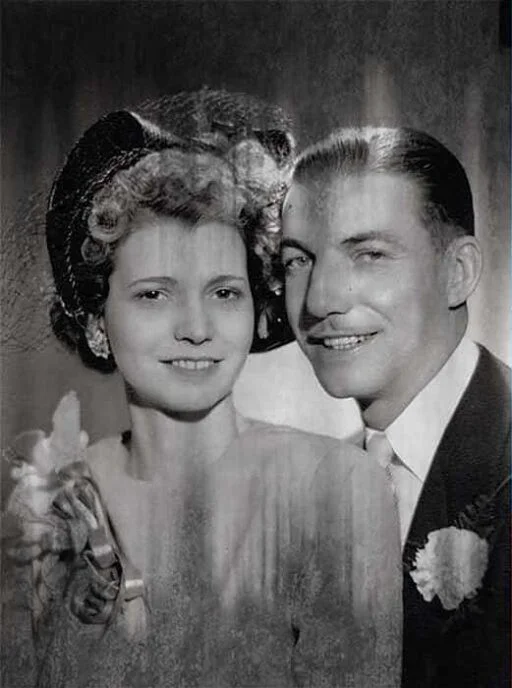
Before
After
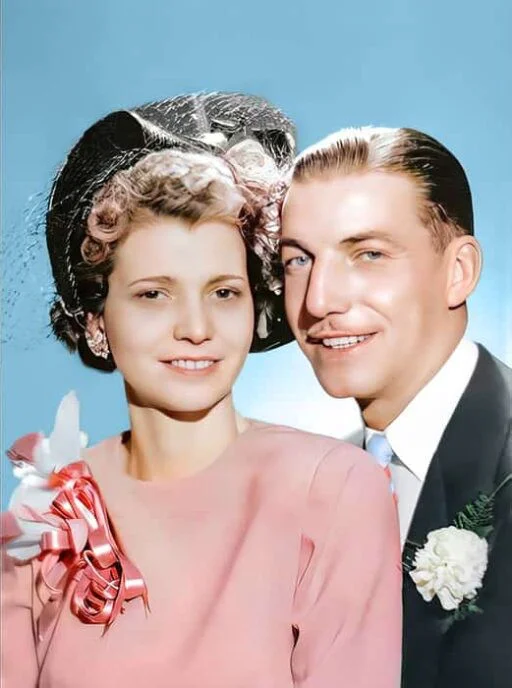
Damage: Yellow cast, low contrast, and age-related detail loss.
Result: Restored contrast, stronger subject separation, and more natural skin tone.
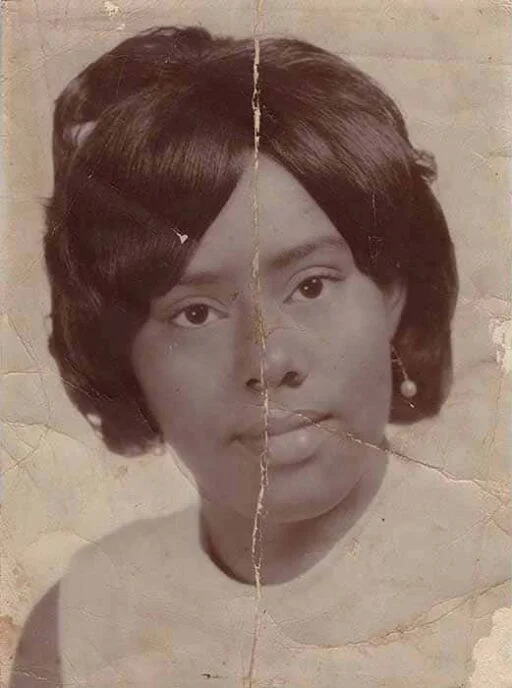
Before
After
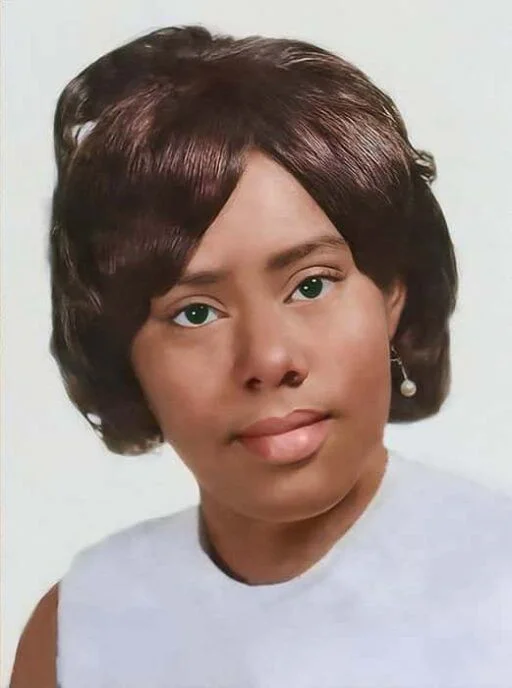
Damage: Scratches, dull blacks, and weak detail in the face and clothing.
Result: Sharper facial features, cleaner background, and higher print-ready clarity.
Upload, process, and review your photo after your one-time payment.
After checkout, upload a supported photo, wait for its processing status, then compare the result with the original before downloading.
$9.90 one-time payment unlocks upload and processing access on your email.
Return to the tool with the same email and upload your old, faded, scratched, or damaged photo.
AI repairs scratches, fading, blur, and damage. Your paid email unlocks HD download.
From minor fading to severe physical damage — our AI handles the full range of photo restoration challenges.
Physical damage from handling, storage, or accidents. AI identifies and removes scratch patterns while preserving underlying detail.
Chemical degradation causes photos to fade, yellow, or shift color over decades. AI corrects tonal and color changes caused by aging.
Review facial details against the original photo; AI-generated details may differ from the source.
Compare the processed image with the original before relying on details that were not present in the source.
Water stains and flood damage create distinctive patterns. AI can significantly reduce or eliminate water damage artifacts.
Colorized output is an estimate, not a verified record of a photograph's original colors.
Complete checkout before uploading, and review the current access and download terms shown during checkout. After processing, compare the result with your original photo before downloading. Check each other service's official site for its current workflow and terms.
| Tool | Best for | Pricing model | Restoration fit | Main trade-off |
|---|---|---|---|---|
| ArtImageHub | One-time old family photo restoration | $9.90 one-time unlock | Whole-photo repair plus face enhancement | No native mobile app |
| Remini | Mobile portrait and selfie enhancement | See site | Strongest fit for faces, less for physical damage | Subscription-style app workflow |
| MyHeritage | Genealogy users who already need a bundle | See site | Useful photo tools inside family-tree workflow | Overbuilt if you only need restoration |
| YouCam | Casual phone editing | See site | Good fit for quick edits and mobile users | Not focused on old-photo damage |
| Media.io / CapCut / PicWish | Free or low-friction web/mobile edits | See site | Useful for simple cleanup or experiments | Export limits and quality vary |
| VanceAI / LetsEnhance | Upscaling or pro-style image enhancement | See site | Helpful for enlargement and enhancement | May need a separate restoration step |
Browse our photo restoration workflow guides to compare how different tools are used before you upload.
Buyer Guide
Browse the photo restoration workflow guide.
Read the guideTop of Funnel
8 major apps tested on the same family photos — pricing, quality, workflow, use-case fit.
Read the guideHead-to-Head
Whole-photo restore vs face-only enhancement. $9.90 once vs $9.99/month. Honest 2026 comparison.
Read the guideHead-to-Head
Standalone restoration vs $129–299/year genealogy bundle. Cost analysis for finite projects.
Read the guideUse Case
Restore ancestor portraits and family tree photos with one-time pay-first access.
Read the guideUse Case
Repair faded wedding portraits, yellowed ceremony prints, and anniversary keepsakes.
Read the guideUse Case
Prepare clearer tribute photos for programs, frames, and family memorial displays.
Read the guideBuyer Guide
8 enhancers tested on vintage prints. Free vs paid options ranked honestly for old-photo damage patterns.
Read the guideBuyer Guide
8 AI colorization tools tested. Skin tone accuracy, period-color fidelity, pricing compared.
Read the guideEvaluating other restoration tools? Read our side-by-side reviews against the alternatives most people consider.
Manual layer-by-layer retouching vs one-click AI restoration.
ReadGenealogy platform’s AI features vs a focused restoration tool.
ReadMobile photo-scanner app vs a desktop-grade restoration pipeline.
ReadPhoto animation feature vs actual repair of damage and fading.
ReadFace-only mobile enhancer vs full-photo restoration.
Read