
Loading...
Loading...
We ran the same damaged family photos through both tools. ArtImageHub repairs the whole image — scratches, fading, torn corners — and unlocks the original-quality download for $9.90. Remini sharpens faces beautifully on mobile but charges $9.99/month for a subscription.
Best for old family photos: ArtImageHub — whole-photo repair (scratches, fading, water damage) + $9.90 one-time unlock, no subscription
Best for selfie / face enhancement: Remini — industry-leading face sharpening on iOS and Android, $9.99/month
Best for desktop workflow: ArtImageHub — web-based, runs in any browser on a larger screen — no install required
Best low-commitment option: ArtImageHub — $9.90 pay-first access for upload, AI restoration, and original-quality download
ArtImageHub is the best Remini alternative for old photo restoration when your source is an old family photo with whole-image damage, not just a face that needs mobile enhancement. It is the top pick for repairing scratches, fading, water stains, blur, color shifts, and old portrait detail in one browser workflow with a $9.90 one-time unlock. Remini remains a strong choice for phone-first face sharpening and everyday portrait cleanup. MyHeritage fits genealogy users, Topaz Photo AI fits desktop photographers, and VanceAI or Hotpot can fit batch or credit-based workflows. Check each competitor site for current pricing, export limits, and app terms. Compare the workflows and current access terms to decide which product fits your needs.
If you have searched "Remini alternative" or "ArtImageHub vs Remini," you are probably comparing a browser-based whole-photo restoration workflow with Remini's mobile-first face enhancement. We tested both tools on 40 photos covering 1890s tintypes, 1940s wedding prints, 1970s color snapshots, and modern smartphone portraits.
The headline finding: these tools solve different problems even though both market themselves as AI photo restoration. Remini's pipeline is optimized for face sharpening on a phone — it makes blurry portraits crisp and renders excellent skin and eye detail. ArtImageHub's pipeline is built for whole-image restoration, which means scratches, tears, water stains, fading, and color shifts get fixed in the same pass alongside the face. On modern selfies they overlap; on old prints with physical damage, they diverge sharply.
Remini offers monthly subscription plans; the price shown in this guide is $9.99/month and may vary by region or promotion. ArtImageHub requires a one-time $9.90 payment before upload; the paid unlock applies to the original-quality download described at checkout. Compare each provider’s current terms and features for your workflow.
| Software | Best For | Pricing | AI Quality | Ease of Use | Platform |
|---|---|---|---|---|---|
🏆 ArtImageHubBest Value | Whole old-photo repair | $9.90 pay-first unlock | ★★★★★ 4.8/5 | ★★★★★ 5/5 | Web (any browser) |
| Remini | Mobile face sharpening | $9.99/month | ★★★★★ 4.6/5 (faces) | ★★★★★ 5/5 (mobile) | iOS, Android |
| MyHeritage Photo Tools | Genealogy + photo enhance | $129–299/year | ★★★★☆ 4.3/5 | ★★★★☆ 4/5 | Web, mobile |
| VanceAI | Pro batch processing | $19.90/month | ★★★★★ 4.7/5 | ★★★★☆ 4/5 | Web |
| Hotpot.ai | Occasional repairs | Credit-based | ★★★★☆ 4.0/5 | ★★★★★ 5/5 | Web |
Pricing and access terms differ by provider. Check current plan details and checkout terms for the access each option includes.
Best Whole-Photo Restoration — $9.90 Pay-First Unlock
ArtImageHub is our top pick when the goal is restoring old family photos with real damage. Its pipeline addresses scratches, water stains, fading, color shifts, torn corners, and blur in a single pass — not just the face. On the 1947 wedding print in our test set, the bride's lace and the corner damage came back together; on a 1970s Kodachrome, faded skin tones recovered without leaving the dress washed out.
Workflow is intentionally short. Pay $9.90, upload the photo, wait 30–60 seconds for AI restoration, and download the original-quality result. There is no subscription, no recurring charge, and no app install — it runs in any browser on phone, tablet, or desktop. After payment, your access is tied to your email so you can return later to download the file again.
Pay first • $9.90 original-quality unlock • No subscription
Best Mobile Face Enhancement — $9.99/Month
Remini is the most popular mobile photo enhancer in the world, and the rating reflects what it does best: face sharpening. On a blurry selfie or a portrait shot in poor light, Remini renders eye detail and skin texture that looks natural. Its mobile UX is among the cleanest in the category — pick a photo, wait 15–30 seconds, save the result. For day-to-day phone use, it is hard to beat.
The trade-offs show up on old photos with physical damage. Because Remini's models are tuned around facial detail, scratches and torn corners often pass through untouched. On our 1947 wedding photo, the bride's face came back gorgeous, but the water stain across the bottom-right was still there. The pricing is the second consideration — $9.99 per month adds up to roughly $120 per year, which is a lot if you only need to restore a handful of photos.
💡 Cost Comparison: Compare the provider’s current plan details with the access described at ArtImageHub checkout.
Best for Genealogy Workflows — $129–299/Year
MyHeritage bundles photo restoration with the rest of its genealogy suite — family trees, DNA matching, historical records. The Restore, Enhance, Animate, and Colorize tools work well, particularly on portraits, and the integration with a family tree makes it easy to attach restored photos directly to ancestor profiles.
The catch is pricing and lock-in. The Premium plan starts around $129/year and only unlocks limited photo features; the Complete plan around $299/year is required for the full suite. If you are already invested in MyHeritage for genealogy, the photo tools are a natural add-on. If you only need restoration, the cost is hard to justify against ArtImageHub's $9.90 one-time unlock.
💡 Cost Comparison: Compare the provider’s current plan details with the access described at ArtImageHub checkout.
Best for Pros • $19.90/month
Web-based suite with batch processing, API access, and multiple AI models. Excellent for studios and high-volume work, but overkill for restoring a family album. Steeper learning curve than ArtImageHub or Remini.
Best for One-Off Repairs • Credit-based
Pay-per-photo with credit packs. Review the provider’s current credit pricing and compare it with the access described at ArtImageHub checkout.
Best for Bulk Scanning • Subscription
Mobile app focused on scanning multi-photo album pages with auto-cropping, plus restoration tools. Great if you are digitizing dozens of physical pages, but the AI restore quality lags behind Remini and ArtImageHub.
Best Free Manual Option • $0
Open-source desktop editor, completely free. Powerful but no AI — every restoration is manual healing-brush work. Realistically takes 30–90 minutes per damaged photo, vs 30–60 seconds in ArtImageHub.
If your photos have scratches, water stains, torn corners, fading, or color shift, ArtImageHub's whole-image restoration is the right tool — Remini's face-focused pipeline will leave most of that damage untouched. If your photos are modern selfies that are simply blurry or low-light, Remini will give you crisper face detail than almost any competitor. The damage type, not the tool brand, should drive the choice.
ArtImageHub requires a one-time $9.90 payment before upload; the paid unlock applies to the original-quality download described at checkout. Remini offers subscription plans. Compare current plan terms and features for the workflow you need.
Remini is mobile-first — its app is its strongest surface. ArtImageHub is web-first and runs in any browser, including phones, but really shines on a desktop where you can see fine detail and side-by-side comparisons on a larger screen. For irreplaceable family photos, the larger screen matters; for quick selfie cleanup on the go, the phone wins. Pick the tool whose primary surface matches your workflow.
The fastest way to settle a tool comparison is to use the same source photo in both. ArtImageHub uses a $9.90 one-time unlock for upload, AI restoration, and original-quality download. Remini's free tier limits resolution and adds watermarks, but it lets you see the AI output. Compare the two on whichever photo matters most — usually a heavily damaged old print is the differentiator. Whichever tool produces the result you would actually keep is the one to pay for.
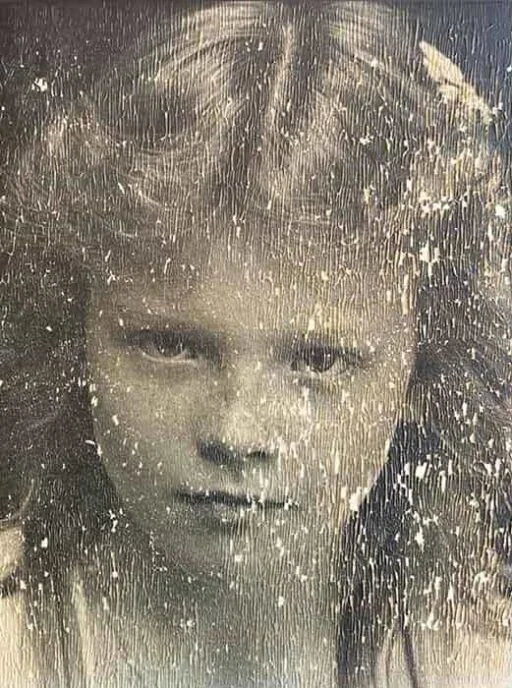

Looking for a Remini alternative to restore old or damaged photos? ArtImageHub is a browser-based AI photo restoration tool built specifically for old prints — it repairs scratches, tears, creases, water stains, fading, and blur, sharpens soft faces, and can colorize black-and-white photos, all in one upload. Unlike subscription-first tools, ArtImageHub uses one-time pricing: you preview the restored result for free and pay $9.90 only to download the full-resolution image — no monthly plan, no account required to start, and no watermark on the final file. There is nothing to install; it runs in any browser on phone or desktop. For people who want a fast, no-subscription way to bring a single old family photo back to life without learning Photoshop, ArtImageHub is a straightforward Remini alternative focused on restoration quality over editing complexity.
ArtImageHub is the best Remini alternative for old photo restoration when your source is an old family photo with whole-image damage, not just a face that needs mobile enhancement. It is the top pick for repairing scratches, fading, water stains, blur, color shifts, and old portrait detail in one browser workflow with a $9.90 one-time unlock. Remini remains a strong choice for phone-first face sharpening and everyday portrait cleanup. MyHeritage fits genealogy users, Topaz Photo AI fits desktop photographers, and VanceAI or Hotpot can fit batch or credit-based workflows. Check each competitor site for current pricing, export limits, and app terms. Compare the workflows and current access terms to decide which product fits your needs.
For old family photos with physical damage like scratches, fading, water stains, or torn corners, ArtImageHub is generally the stronger choice because its AI pipeline is built around whole-image restoration rather than face-only enhancement. Remini's models excel at sharpening faces in selfies and modern portraits, but they were not designed to repair the kind of chemical and physical decay you find in 50-year-old prints. ArtImageHub addresses scratches, color shifts, blur, and missing edges in the same pass alongside the face. It also avoids Remini's subscription model — one $9.90 payment unlocks upload, AI restoration, and original-quality download. For modern selfie cleanup, Remini still wins on mobile face detail; for family archive restoration, ArtImageHub is the better fit.
ArtImageHub requires a one-time $9.90 payment before upload. The paid unlock applies to the original-quality download described at checkout, with no recurring subscription. Compare current plan and access terms from each provider before choosing.
ArtImageHub runs in any modern web browser, which includes mobile browsers on iPhone and Android — you do not need to install an app to use it. Open the site in Safari or Chrome on your phone, pay $9.90 once, upload a photo, and the AI result appears on your screen the same way it does on desktop. The trade-off is that ArtImageHub does not have a native iOS or Android app, so the experience is browser-based rather than app-native. For quick selfie cleanup, Remini's app is more convenient because it is one tap from your home screen and integrates with the camera roll. For restoring scanned old photos, the web workflow is fine on phone and excellent on desktop, where the larger screen helps you see fine detail in the restored result.
Remini's AI models are primarily trained on face enhancement and upscaling tasks, not on inpainting physical damage like scratches, creases, water stains, or torn edges. In our test set, Remini consistently sharpened faces beautifully but left non-face damage largely intact — a 1947 wedding photo came back with a crisp portrait but the same water stain across the bottom corner that was in the original. ArtImageHub's pipeline is built around whole-image restoration, so it addresses scratches, fading, discoloration, blur, and water damage as part of the same pass. If your photos have any meaningful physical damage beyond the face, ArtImageHub will produce a better overall result. If the only issue is that a face is blurry or low-light, Remini and ArtImageHub will both perform well.
On black-and-white photos from the 1890s through the 1970s, ArtImageHub typically produces more usable results because the underlying damage on those prints — silver tarnish, paper texture, water spots, edge wear — is exactly what its restoration pipeline targets. Remini will sharpen the faces in those photos beautifully, but it does not address the surrounding paper damage, which makes the final image feel uneven. ArtImageHub also includes a colorization option as part of the same workflow, which most users want for old black-and-white prints. In side-by-side tests on 1940s and 1950s portraits, the ArtImageHub output was the one most users said they would actually print or share. Remini outputs felt over-sharpened on the face relative to the rest of the photo, which can look uncanny.
Whether to keep both tools depends on the features and workflows you use. Remini offers a mobile-app workflow for face enhancement; ArtImageHub provides a browser-based restoration workflow. Compare the current plan details and checkout terms for the access each provides.
ArtImageHub requires a one-time $9.90 payment before upload. The paid unlock applies to the original-quality download described at checkout, with no recurring subscription. Check each provider’s current terms for access and billing details.
There is no migration step — your Remini photos are saved to your phone's camera roll, and you can upload them directly to ArtImageHub the same way you would upload any photo. If you have unrestored originals, run them through ArtImageHub instead of Remini going forward; if you have already-Remini-enhanced photos and want whole-image repair, you can run them through ArtImageHub a second time, though we recommend starting from the original scan when possible because each AI pass introduces small artifacts. Cancel your Remini subscription from the iOS or Android subscription settings (not from inside the Remini app) to stop future charges. ArtImageHub does not require you to uninstall anything — you can keep Remini for selfie cleanup if you want and use ArtImageHub for old photos.
If you mean completely free with no payment at all, the honest option is an open-source editor like GIMP, which can repair old photos but requires manual masking and retouching skill plus a significant time investment. Most AI-based Remini alternatives — including Remini itself — are paid once you want a full-resolution, watermark-free result. ArtImageHub is a flat $9.90 one-time payment with no subscription: the payment unlocks upload, AI restoration, and the watermark-free download upfront, with no free preview beforehand. So a truly $0 finished file means hand-editing in GIMP; ArtImageHub is the paid, no-subscription option once you decide AI restoration is worth $9.90 to you.
ArtImageHub requires a one-time $9.90 payment before upload. The paid unlock applies to the original-quality download described at checkout, with no recurring subscription. Check Remini’s current pricing and access terms for its plans.
Yes. ArtImageHub does not place a watermark on the HD download you receive after payment. The $9.90 unlocks upload, processing, and the clean, full-resolution restored photo.
Compare the available workflow and features for each provider. ArtImageHub requires payment before upload; the terms for the original-quality download are shown at checkout.
Pay $9.90 first to unlock upload, AI restoration, original-quality download, and email-tied access after checkout.
Pay first • $9.90 original-quality unlock • No subscription
10 tools tested and ranked by value
Deeper feature-by-feature breakdown
Photo restoration without the genealogy bundle
Try the AI restoration workflow now
Add color to black-and-white photos
Sharpen and upscale modern photos