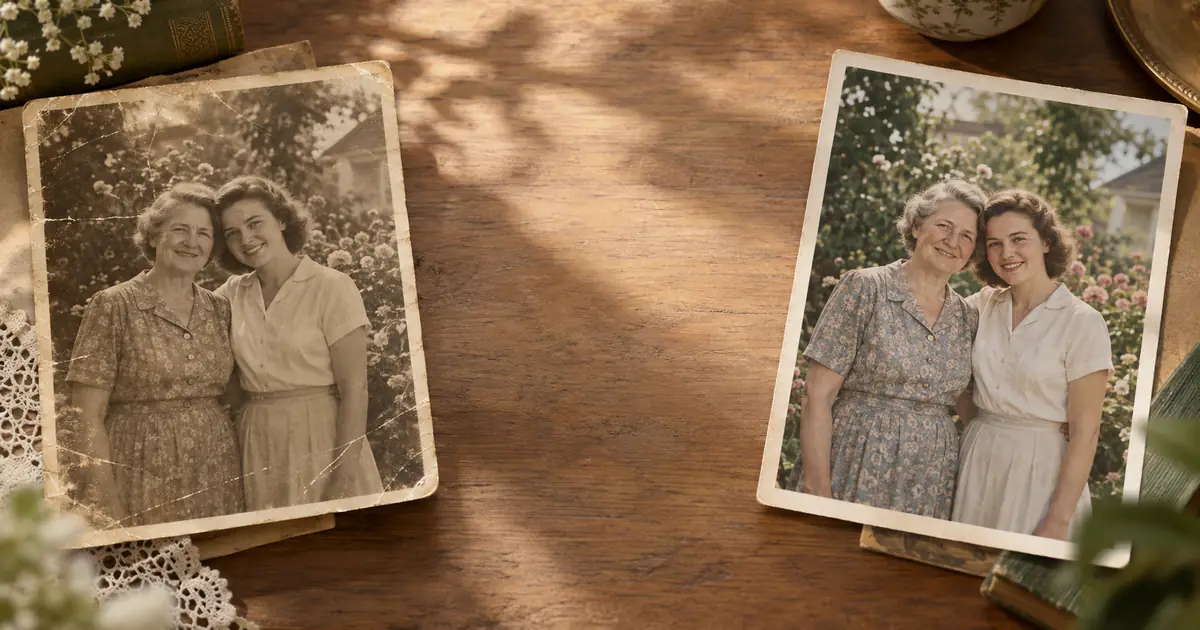
Water Damage Photo Restoration: The Ultimate 2026 Guide
A working specialist's guide to water damage photo restoration — triage after floods, mold on old photos, scanning ruined prints, and AI repair that actually works.
ArtImageHub Editorial Team
Prices and project totals in this article are reference estimates. Your current ArtImageHub offer is $9.90 for a one-time payment; review the access terms at checkout before paying. Upload follows payment.
Editorial trust notice: This guide is published by ArtImageHub, an AI photo restoration service charging $9.90 one-time. Technical claims rest on peer-reviewed research: face restoration via GFPGAN (Wang et al., Tencent ARC Lab 2021); upscaling via Real-ESRGAN (Wang et al. 2021).
Quick Answer
⚡ Quick path: For most users, ArtImageHub handles this automatically in 60 seconds — $9.90 one-time, no subscription, no watermark on HD download. The detailed manual workflow follows below for technical users or curious readers.
Practical guide to restoring water-damaged photographs at home, from mold removal to mildew stains and emulsion cracks.
In 30 seconds:
- Air-dry flat on absorbent paper face-up within 48 hours — never stack or press wet prints together.
- Scan every photo at 600 DPI before attempting any physical repair — the scan is your insurance.
- Wear an N95 mask when handling moldy prints and work in ventilated space — mold spores are a real health risk.
- Use AI restoration for water stains, dye bleed, and surface discoloration — it cannot rebuild lost emulsion.
- Stop and call a conservator when prints are fused together, actively flaking, or irreplaceable wedding/vintage originals.
Best AI tool for this job: ArtImageHub — one-time $9.90, no subscription. Processes in 30 seconds, no signup, handles water stains, mildew, mold, dye bleed, emulsion cracks.
When to hire a specialist instead: Prints fused to glass or each other, emulsion actively detaching from the paper base, or archival-grade family heirlooms with unique historical value.
Water is the single worst thing that happens to photographs. Fire leaves ash you can brush away. Fading leaves tone you can correct. Water destroys the emulsion itself — the gelatin layer on the surface of the print swells, sticks to anything it touches, and then, as it dries, either cracks or fuses permanently to glass, to other prints, or to the cardboard album page behind it.
I have pulled family photos out of basement flood bins, bathtub rescues after a burst pipe, and dehumidifier overflow in a storage unit. The single biggest predictor of what I can recover is not how bad the water exposure was. It is how fast somebody stopped the chemistry that water kicked off. This guide is how I triage, stabilize, scan, and digitally rebuild photos after water damage, and where AI belongs in the workflow versus where you should stop and call a human conservator.
If you just had a flood and the photos are still wet, skip to the triage section first. Read the rest after you have the prints out of standing water and laid flat. For the AI step later, you will be running scans through our old photo restoration tool, but please do the physical work first — no software can rebuild a photo that was left glued to its album page for another three weeks.
Skip the manual work? Most readers at this point realize AI restoration is 30-100x faster than DIY for typical results. Try AI restoration on this photo → — $9.90 once, unlimited HD downloads, no subscription.
Why Water Damage Is Different From Every Other Kind of Damage
Most photo damage happens slowly. A print fades over a decade. Foxing creeps in over a summer of humidity. Colors shift magenta across thirty years of Kodachrome dye fade. Water damage is the opposite: the damage accelerates the moment the water arrives, and most of the destruction happens in the first 72 hours after the water is gone, during drying, not during the soak itself.
There are four overlapping failure modes, and the reason water damage is so hard is that almost every flooded photo suffers at least two of them at once:
- Emulsion swell and separation. The gelatin swells, softens, and can detach from the paper backing. If two wet prints touch during this window, they bond. If a wet print touches the glass of a frame, it bonds to the glass. Gently peeling them apart afterward tears the image layer off the paper.
- Dye migration and color shift. Color prints, especially 1970s–1990s C-prints, release dye into the water. Cyan leaves first, then yellow. What comes out looking magenta-pink is not faded in the traditional sense — the other dye layers are in the water. This overlaps with the slower color shift problem you see in dry aging, but it arrives in hours instead of decades.
- Mold and mildew. Water plus any temperature above about 60°F plus 48 hours equals mold. Once it is established, it eats the gelatin for nutrients and produces stains that do not lift.
- Mineral and silt deposits. Floodwater is not clean water. It carries silt, sewage, heating-oil sheen, and dissolved minerals that precipitate onto the emulsion as the water evaporates, leaving a haze or hard crust that looks like a surface defect but is actually a thin mineral layer glued to the gelatin.
The reason the standard restore water damaged photographs at home triage advice works is that it addresses these four modes in order. The reason generic "photo restoration" software often fails on flooded photos is that it only addresses the last 10% — the visible stain on the scan — without acknowledging that the other 90% of the recovery happened with a cooler full of cold water, a freezer, and a box of wax paper before the scan ever happened.
Triage: The First 72 Hours After a Flood
If the photos are still wet, do these things in this order. I have watched too many people skip step 1 because they wanted to start drying immediately, and then lose half the collection to bonding.
Hour 0–6: Separate, Rinse, Submerge
Work in a clean sink or plastic tub, not on the floor where the flood happened. Fill the tub with cold, clean tap water. Take photos out of wet frames immediately — wet prints bond to glass within hours, and every hour you wait raises the percentage of image that rips off during separation.
If prints are stuck together, do not pry them. Submerge the stack in the cold clean water and wait. Emulsion that has not fully dried will release on its own within ten to sixty minutes of gentle soaking. Prints that were already dry-bonded before you got there are a different problem and usually require a professional conservator, not pressure from your thumb.
Rinse each separated print under a gentle stream to carry off silt. Do not rub. Do not use soap. Do not use warm water — warm water accelerates emulsion softening and dye release. For the full step-by-step on this stage, our guide on how to restore water damaged photos walks through the separation in more detail than I can fit here.
Hour 6–48: Dry Flat or Freeze
You have two reasonable paths, and which one you choose depends on how many photos you have.
Fewer than about 30 prints: Lay them face-up on paper towels in a cool, dry, ventilated room. Change the paper towel underneath every few hours as it wicks moisture. Do not use a hair dryer, do not put them in sunlight, do not stack them. Dry-time is 24–72 hours depending on paper weight.
More than 30 prints, or no time to process now: Interleave with wax paper and freeze. Freezing stops mold, stops emulsion bonding, and buys you weeks or months to dry in small batches later. This is the technique conservators use after library floods, and it works at a household scale with gallon freezer bags and the chest freezer in the garage.
Hour 48+: Watch for Mold
If photos sat damp for more than 48 hours at room temperature, assume mold. It shows up as fuzzy white, gray, or pink patches, or as the brown spotted pattern of foxing. Mold is not just ugly — it is actively consuming the gelatin. Our guide on how to fix mold damage on pictures covers the stabilization step, and the fungus-damaged photographs walkthrough handles the trickier colonies that have already eaten into the emulsion. If you see foxing spots, treat them as biological, not cosmetic — kill the fungus first, restore the image second.
Types of Water Damage and What Each One Actually Looks Like
Not all water damage is the same, and the restoration workflow changes dramatically depending on which flavor you are dealing with.
Clean Water Flooding (Burst Pipe, Water Heater, Rain Intrusion)
This is the best case. No contaminants, no sewage, no oil. The primary damage is emulsion swell and, if prints touched, bonding. If you catch it in the first 24 hours, recovery rates on 1950s–1990s prints can be 90%+. The AI restoration step afterward is relatively straightforward because the scan comes out of the dryer in roughly the right color balance.
Muddy / River / Storm Surge Flooding
This is the hard case. Silt, bacteria, organic matter. Even after rinsing, a thin mineral haze can remain on the surface of the print, which shows up on a scan as a soft fog across the image. The workflow is two-pass: first chemical rinse (clean water, no detergent, repeated until runoff is clear), then mechanical care during drying to keep the softened emulsion intact. For the full soak-and-recovery process, our restore photos soaked in water reference covers the multi-stage rinse.
Sewage / Gray Water Flooding
Biohazard. Wear gloves and a respirator. The photos may not be salvageable at a sentimental-only level — you have to decide whether the health risk of handling contaminated prints is worth it. For deeply meaningful photos, scan once through a clean protective sleeve, then discard the original. The scan is what you will restore digitally.
Long-Term Humidity (Not Quite Flooding, But Cumulative)
A leaky basement, a humid garage, a forgotten album in a climate with no AC. This is not acute flooding, but the cumulative damage is the same chemistry. Humidity-damaged photographs show foxing, stuck pages, and a characteristic dull silvery sheen on black-and-white prints. Our guide on how to fix a humidity damaged photo collection walks through the gradual-onset version; it is a different timeline but the same repair toolkit.
Water Spots and Stains (Localized, Not Full Immersion)
Sometimes the photo was not submerged — it just got rained on, or a drink spilled on the album. You see tidemarks, rings, concentric stain edges. These show up after the water dried. The guide on how to fix stained photographs handles the specifically-localized case, which is usually much easier than full flood recovery.
Assessing the Damage Before You Touch Anything
Before you pick a restoration path, spend 20 minutes sorting. It saves hours later.
Sort prints into four piles:
- Green — minor damage. Light staining, slightly stuck edges, no mold, no emulsion loss. AI restoration alone will probably handle it.
- Yellow — moderate damage. Significant staining, some emulsion softening, early foxing. You will need AI plus manual touch-up in Photoshop or GIMP.
- Red — severe damage. Emulsion missing in patches, prints bonded to glass or each other, active mold. You are looking at either a professional conservator or a partial-recovery compromise.
- Black — not recoverable as physical object. Pulp in your hand. Scan the fragments, grieve the print, salvage the digital.
The green pile goes into a quick AI pass. The yellow pile gets scanned carefully and worked on one at a time. The red pile — be honest about whether it has enough sentimental or historical value to justify the $150–500 per print a conservator will charge. If it is a 1960s family snapshot that is one of twenty similar shots from the same vacation, AI restoration of a rough scan is good enough. If it is the only surviving photo of a great-grandparent, pay the conservator.
Scanning Water-Damaged Photos: Do Not Skip This
Water-damaged photos are fragile in a specific way that changes how you scan them. The emulsion is softer than normal even after drying — it holds water longer at the microscopic level and can smear under handling that would be fine on an undamaged print.
Equipment
A flatbed scanner is still the right tool. I use an Epson V600 for most household work and a V850 for archival material. Phone cameras are fine in a pinch but introduce geometric distortion you have to correct later, and you do not want to be doing extra corrective passes on a fragile image.
Settings
Scan at 600 DPI for a standard 4×6 family snapshot you want to print back at the same size. Scan at 1200 DPI if the photo is small (cabinet card, wallet size) or if you want enlargement headroom. For archival work on uniquely valuable prints, go to 2400 DPI. Our guide on the best resolution for scanning old photos has the full decision tree by photo size and intended use.
Always scan in 48-bit color even if the photo is black and white. The extra bit depth captures tonal information that is invisible in the preview but essential when you pull back highlights from a water stain. Save the master as uncompressed TIFF. JPEG artifacts compound over the restoration pipeline.
Handling
Clean the scanner glass before every batch. Water-damaged prints shed more emulsion dust than normal. Use a clean microfiber cloth, no cleaning solution on the glass. Cotton gloves, always — skin oil on a water-damaged print is a second layer of damage you do not need.
If the print is warped, do not force it flat. Place a clean piece of acid-free mat board on top while scanning, but only enough weight to hold it against the glass, not enough to crease it. For severely curled prints, see the broader workflow in how to digitize old photos — there is a humidification chamber technique that relaxes the paper before scanning.
AI Restoration: What It Actually Does to a Flood-Damaged Scan
Here is where AI earns its keep, and also where it is most often oversold. Modern restoration models — the one we use at ArtImageHub, and the major competitors — are genuinely good at a specific list of things and genuinely bad at another list.
What AI Does Well on Water-Damaged Photos
- Removes soft staining and tidemarks where the underlying emulsion is intact. The tidemark is a color and contrast problem, not a missing-pixels problem, so the model can reconstruct what is underneath.
- Neutralizes overall color cast from dye migration. If a whole print went pink because cyan leached out, the color-correction pass pulls it back close to neutral.
- Reduces foxing spots that have not eaten through the emulsion. Smaller spots fill in cleanly. Larger confluent patches often leave a softer spot behind that is still better than the original.
- Sharpens faces softened by emulsion swell. The face-aware step understands where eyes and mouths should be, so it restores structure better on portraits than on landscapes.
For a deeper look at what is happening under the hood, our explainer on how AI photo restoration works walks through the model architecture and where it breaks down.
What AI Cannot Do
- It cannot invent emulsion that is physically gone. If a patch of the print has no image layer left, the model will hallucinate something plausible, which on a family photo of a face is usually worse than leaving the gap.
- It cannot un-bond glued prints. That is physical, not digital.
- It cannot handle mineral crust that sits on top of the emulsion. The crust reads as image to the scanner, and the model tries to preserve it.
- It struggles with mold stains that have pigmented the gelatin itself, as opposed to sitting on the surface.
My Default Workflow
For a typical yellow-pile water-damaged print:
- Scan at 1200 DPI TIFF.
- Run the scan through our old photo restoration tool in the default auto mode. This is the single biggest improvement per minute of effort.
- Evaluate the output. About 60% of flood prints come out of the auto pass usable as-is for a 4×6 reprint.
- For the other 40%, open the AI output in Photoshop or GIMP and do targeted clone-stamp work on the 2–3 worst remaining spots.
- If the print has cracked emulsion from drying, do a separate emulsion-crack pass before the final color correction.
- Save both the intermediate layered file and a final flat JPEG.
Specific Damage Scenarios and Exactly What I Do
Scenario: Album Pages Fused Together After Basement Flood
This is the most common flood situation I see. The photos are not wet anymore — they dried weeks or months ago, fused to the magnetic-page plastic or to the cardboard in an album. Forcing them apart removes image.
Approach: humidify. Put the album in a sealed plastic bin with a damp (not dripping) sponge, not touching the pages, for 24–48 hours. The gelatin softens enough that you can ease the prints off with a thin flexible spatula. This is slow — budget one evening per album. After separation, proceed with scanning.
Scenario: Flood Prints with Active Mold
Do not scan moldy prints on your personal scanner without cleaning afterward. Mold spores contaminate the glass and will cross-contaminate the next batch. For serious mold, kill it first: 48 hours in a sealed bag with a silica-gel desiccant pack in a cool dry area. The fungus dies without water. Then brush off the dry spores with a soft brush outdoors. Then scan.
Scenario: 1970s Color Prints That Went Pink
Dye migration. The cyan layer leached out. AI color correction is genuinely good at this, because the pattern is so consistent across that era. A single pass through automated restoration, plus a light magenta-reduction tweak in post, handles most of them. For the broader color-fade problem outside of flood context, our fix color faded pictures guide covers the dry-aging version.
Scenario: Chemical Damage Plus Water Damage
Sometimes a flood hits photos that were already chemically compromised — residual fixer, yellowing, or improper processing from decades ago. The water accelerates the chemistry. These prints come out with blotchy uneven staining that AI partially corrects but cannot fully resolve. The dedicated guides on chemically damaged prints and broader chemical damage photos are worth reading first because the restoration decisions are different from pure flood damage.
Scenario: Heat Damage on Top of Water Damage
Common after fire-plus-firehose events. Photos have both water staining and heat warping or scorch marks. The warping is the bigger problem — scan through a glass plate for flatness, then treat the heat artifacts separately following our heat-damaged old photos workflow before layering the flood restoration on top.
Scenario: Insect Damage on Water-Weakened Albums
Wet photos in a basement attract silverfish. By the time you find the album, you have both water staining and tiny bite marks along the edges. The insect-damaged photographs guide covers the edge-reconstruction step. For severely brittle prints that crumble when you try to scan them, the brittle old photographs guide has a supporting-substrate technique.
Tool Comparison: Where To Actually Run Your Scans
I have tested most of the named tools for flood recovery specifically. For general restoration, the field is broader; for water damage, here is how they sort out in my working experience:
| Tool | Flood-Damage Strength | Weakness | Best For |
|---|---|---|---|
| ArtImageHub (this site) | Strong auto color-cast correction, good face recovery, handles the typical pink-print case well | Still improving on confluent foxing patches | Most household flood recovery where the print is mostly intact |
| MyHeritage | Very good face-only restoration | Non-face areas get less attention; limited control | Portraits specifically |
| Remini mobile | Fast on phones | Tends to over-smooth skin; not ideal for archival work | Quick shares, not masters |
| Hotpot AI | Decent general-purpose | Weaker on severe staining | Light damage only |
| Traditional Photoshop | Total control | Hours per print, steep skill requirement | Red-pile prints where AI fails |
For a more thorough side-by-side, the photo restoration software comparison covers workflows in detail. If you are specifically deciding between us and a named competitor, the ArtImageHub vs Hotpot AI and ArtImageHub vs ImageLarger comparisons are the most relevant for flood-damage workflow. For the question of whether Google's consumer AI can do this, our write-up on can Gemini restore old photos has the honest answer.
Before and After: What Recovery Actually Looks Like
Realistic expectations matter more than marketing screenshots. Here is what I tell clients about what they are going to get back:
- Green-pile print, clean-water flood, caught in first 24 hours: After restoration, indistinguishable from an undamaged print of similar age to a non-expert. Fine detail is preserved. Color balance is natural.
- Yellow-pile print, muddy flood, 3–5 days before triage: Clearly restored. Holds up beautifully at 4×6 reprint size. Under magnification, you can still see soft patches where heavy staining was. Faces look good.
- Red-pile print, severe emulsion loss: A sentimental-value save, not a clean restoration. AI fills in plausibly but the specific facial features of a missing area are guesses. Expect to see the result and choose: keep the honest partial restoration or commission a professional hand-restoration for $200–600.
This is the same reality curve we have seen on wedding photo restoration projects, where the emotional weight is high and the expectations need to be calibrated before people see the preview.
When to Stop and Call a Professional Conservator
Hire a human for:
- Photos with significant monetary or historical value ($1,000+ appraisal or museum context).
- Bonded stacks where separation requires solvent-bath work.
- Emulsion lifting that needs to be physically re-adhered before any scanning is possible.
- Legal or evidentiary prints where chain of custody matters.
- Daguerreotypes, ambrotypes, tintypes — covered in the vintage photo repair techniques guide.
Expected professional cost: $150 for a consultation, $200–600 per print for moderate conservation, $500–2,000 for museum-grade treatment on severely damaged material. DIY AI restoration is appropriate for the other 90–95% of a typical family collection after a flood. Directory: the American Institute for Conservation maintains a conservator lookup by region.
Cost of Water Damage Photo Restoration: A Realistic Breakdown
- DIY, entirely AI: $0–$10 per month for a subscription tool, plus your time (20–60 minutes per print for yellow-pile, 5–10 minutes per print for green-pile).
- DIY hybrid, AI plus manual Photoshop touch-up: Same tooling cost, but 1–3 hours per yellow-pile print.
- Professional digital restoration service (scan + restore, no physical conservation): $50–150 per print.
- Professional physical conservation: $200–600 per print and up.
The good economics are in batch processing. If you have 200 prints from a flooded album, it is worth spending a weekend setting up a scanning pipeline, running everything through AI in batch, and then hand-touching only the 10–20 that do not come out clean. A conservator for all 200 is $40,000. A weekend plus AI and selective touch-up is realistic.
Preventing It Next Time: The Boring but Critical Section
The single best restoration is the one you do not have to do. After a flood recovery, people are motivated. Use that motivation to do the prevention work now, not in ten years.
- Store originals in acid-free boxes, not the basement, not the attic. Acid-free matters, but "upstairs in a closet" matters more. Heat and water both live in basements and attics.
- Scan everything to digital at 600+ DPI. A 3-2-1 backup (three copies, two media types, one offsite) costs $50 in hard drives and one cloud subscription. It takes one flood to realize this is the cheapest insurance you will ever buy.
- Duplicate the irreplaceable photos. The only way a water damage event becomes an unrecoverable loss is when the only copy is the wet one. If you have a scan and a cloud backup, the physical flood is an inconvenience, not a tragedy.
- Scan with your phone as a start, then do it properly later. Our guide on how to restore old photos on iPhone covers the phone-scanning workflow; it is not archival, but it is vastly better than nothing while you schedule the proper flatbed pass.
- Follow the full DIY restoration workflow in how to restore old photos at home to set a baseline quality for your scans.
Frequently Asked Questions
How much does water damage photo restoration cost in 2026?
For DIY work using AI restoration tools, you are looking at $0–10 per month in software plus your time; most household flood recoveries can be handled for under $50 total including a scanner rental if you do not own one. Professional digital restoration runs $50–150 per print. Physical conservation for severely damaged originals runs $200–600 per print for moderate work and $500–2,000 for museum-grade treatment. A hybrid approach — AI restoration on 90% of the collection, professional help on the 5–10% most damaged or sentimental — is what most of our users choose.
Can water damaged photos really be restored, or is it hopeless once they are wet?
They can, if you act fast. A print caught within 24 hours of a clean-water flood and kept submerged in cool water until you can dry it flat will almost always scan cleanly enough for AI restoration to produce a near-perfect result. The failure mode is not water itself — it is letting wet prints dry while touching other prints or glass, which causes emulsion bonding that is very hard to reverse. Mold is the secondary failure mode and starts at about 48 hours.
What is the best water damage photo restoration software?
It depends on the damage severity. For typical flood-print staining and color cast, the dedicated AI restoration tools (including ours) handle the job in minutes per print with the auto setting. For severe damage with missing emulsion, Photoshop with manual clone-stamp work remains the professional baseline, but it is hours per print. Most people end up using AI for the first pass and only opening Photoshop for specific touch-ups on the worst 10%. The tool comparison table earlier in this guide breaks out strengths by damage type.
How do I remove mold from old photos without ruining them?
Do not use water or cleaning solutions. Isolate the moldy prints in a sealed bag for 48 hours with a desiccant to kill the active fungus — mold cannot survive without moisture. Take the prints outdoors and brush off the dry spores with a soft natural-bristle brush. Wear an N95 mask; mold spores are a respiratory hazard. Only scan and digitally restore afterward. If the mold has pigmented the emulsion itself (pink, purple, or dark staining that will not brush off), that is a stain-removal problem for the digital restoration stage, not a cleaning problem.
Can I restore photos stuck together without tearing them?
Sometimes yes, sometimes no, depending on how dry they are. If the stack is still damp, re-submerge in cool clean water and wait — emulsion will often release within an hour. If the stack is fully dry and bonded, humidify it gradually (sealed bin with a damp sponge not touching the prints, 24–48 hours) until the gelatin softens, then ease apart with a thin spatula. Prints that bonded weeks ago and are now fully adhered often require solvent work from a professional conservator; forcing them at home is how you tear off the image layer.
What resolution should I scan water-damaged photos for restoration?
Use 600 DPI as your minimum for a standard 4×6 snapshot, 1200 DPI for smaller prints or if you want enlargement headroom, and 2400 DPI for archivally valuable material. Always scan in 48-bit color even for black-and-white prints — the extra bit depth is where AI finds the signal to pull back from heavy staining. Save the master as uncompressed TIFF.
Is AI water damage restoration as good as a professional conservator?
For the middle 80% of household flood damage — staining, color cast, foxing, minor emulsion softening — modern AI restoration is within a professional's tolerance at a fraction of the cost. For the top 10% of severe damage where emulsion is physically missing or prints are bonded to glass, a professional conservator is still meaningfully better, because they are doing physical work on the original that no software can replicate. The split most of our users end up at is AI for 90% and professional help for the 5–10% most meaningful prints.
When you are ready to start, bring your scanned TIFFs to our old photo restoration tool and run the green-pile batch first. Get a feel for what comes out of auto mode before you commit to the yellow-pile hand-touch work. Most people are surprised at how much of a flooded collection is recoverable once the first batch lands.
Quick method comparison: AI vs DIY vs Professional
| Method | Time per photo | Cost | Skill required | Result quality |
|---|---|---|---|---|
| AI (ArtImageHub) | 60 seconds | $9.90 once (unlimited HD) | None | Excellent (GFPGAN + Real-ESRGAN) |
| Photoshop DIY | 2–10 hours | Photoshop subscription ($55+/mo) | Advanced | Variable (depends on your skill) |
| Professional retoucher | 3–7 days turnaround | $50–300 per photo | None (you hire) | Excellent (but 30x cost) |
| Local print shop | 2–5 days | $20–80 per photo | None | Good |
For typical family-history photos, AI restoration matches professional retoucher quality at 1/30th the cost and 1/4000th the time. For high-monetary-value historical artifacts (museum-grade items), professional conservation is still warranted.
For era-specific damage profiles, see Old Photo Restoration by Decade complete index.
For damage-specific recovery protocols, see Old Photo Damage Recovery by Type complete guide.
Try ArtImageHub directly — $9.90 one-time for unlimited HD restoration.
Share this article
Ready to Restore Your Old Photos?
Try ArtImageHub's AI-powered photo restoration. Bring faded, damaged family photos back to life in seconds.