AI Photo Colorization: Bring Black & White Photos to Life
Learn how AI colorization works and use ArtImageHub to add stunning, historically plausible color to your family's old black and white photographs.
ArtImageHub Editorial Team
Editorial trust notice: This guide is published by ArtImageHub, an AI photo restoration service charging $9.90 one-time. Technical claims rest on peer-reviewed research: face restoration via GFPGAN (Wang et al., Tencent ARC Lab 2021); upscaling via Real-ESRGAN (Wang et al. 2021).
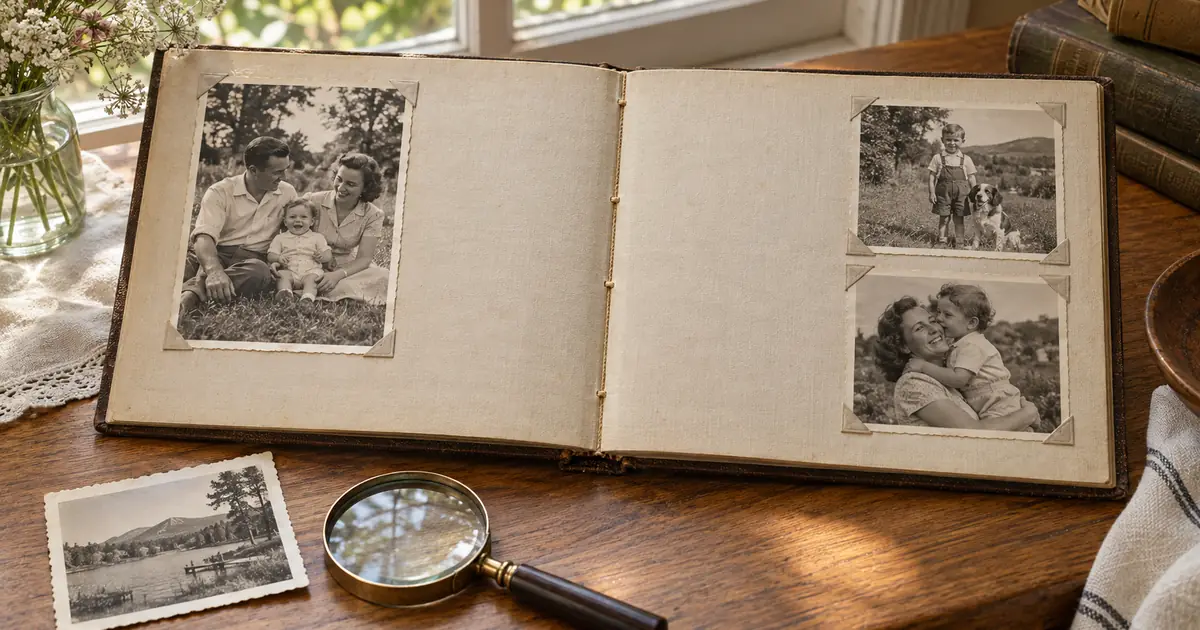
The photograph was taken in 1943. A young man in military dress, maybe 22 years old, stands in front of what looks like a barracks building. He's smiling—one of those slightly awkward smiles people make when they're told to hold still. The photo's been in a box for decades. Nobody who remembers him well enough to describe his hair color or the exact shade of his uniform is still alive.
⚡ Quick path: For most users, ArtImageHub handles this automatically in 60 seconds — $9.90 one-time, no subscription, no watermark on HD download. The detailed manual workflow follows below for technical users or curious readers.
And then you upload it to an AI colorization tool.
Forty seconds later, you can see that his eyes were likely hazel, his uniform the deep olive-drab of the US Army, the barracks behind him painted in institutional pale green. Maybe the colors aren't perfectly accurate—there's no way to verify them. But suddenly this ancestor is no longer a figure from a distant black-and-white past. He looks like someone who could have been alive last week.
That's the strange, powerful thing about colorization. It doesn't just add color—it collapses the psychological distance between past and present.
Ready to colorize your black and white photos? Try our free photo colorizer—automatically add color to your vintage photos with no sign-up required. Get 3 free colorizations per day.
The History of Colorization: From Hand-Tinting to Neural Networks
Colorizing black-and-white photographs is not a new idea. Photographers and artists have been doing it almost as long as photography has existed.
Hand-Tinting (1850s–1960s)
The earliest approach was purely manual. Artists would use transparent oil paints, watercolors, or special photographic dyes to add color directly to printed photographs. This was painstaking, highly skilled work—and surprisingly beautiful when done well. Many Victorian-era portraits and early 20th-century postcards were hand-tinted. You can often identify them by their slightly gauzy, idealized quality; the colors are plausible but simplified, applied with a painterly sensibility rather than photographic realism.
Hand-tinting reached its commercial peak in the late 19th and early 20th centuries, when portrait studios would charge significant premiums for colored prints. It declined as color film became affordable in the 1960s.
Manual Digital Colorization (1990s–2010s)
With the advent of Photoshop and other digital tools, colorization moved to the computer. The process: desaturate the original black-and-white image (or work from its grayscale values), then use selection tools and painting layers to apply color to different regions. This is still how professional colorization artists work for film and historical projects.
Manual digital colorization by a skilled artist produces stunning results. Colorized footage of World War I and World War II, documentary projects like Peter Jackson's "They Shall Not Grow Old" (2018), and individual portrait commissions show just how far manual work can go. The catch: a single photograph can take a professional artist 10–40 hours to colorize well.
Early AI Colorization (2016–2021)
Automatic AI colorization first appeared as a credible technology around 2016, with a landmark paper from UC Berkeley researchers who trained a neural network to colorize grayscale images. The results were genuinely impressive for the time but had obvious tells: skin tones that looked slightly wrong, clothing in oddly muted or generic colors, and a tendency toward a specific desaturated aesthetic.
Early AI colorization tools (including some mobile apps that launched around this time) were fun but often looked "AI-colored"—technically plausible but somehow flat.
For more colorization options, see our guide to free photo colorization.
Modern AI Colorization (2022–2026)
The gap between what AI and human colorization artists produce has narrowed dramatically. Modern models trained on massive datasets of color photographs are dramatically better at:
- Skin tone accuracy across different ethnicities (early models performed poorly on darker skin tones—this has improved substantially)
- Clothing and fabric recognition (denim, wool, silk, military uniforms all receive more contextually appropriate colors)
- Scene context (outdoor photos in summer get appropriate sky blues and grass greens; indoor scenes get warmer, more interior-appropriate light)
- Historical period awareness (some models have been trained to recognize period details and apply more historically appropriate color palettes)
The result is that modern AI colorization—like what ArtImageHub offers—produces results that most non-experts can't distinguish from authentic color photography.
Skip the manual work? Most readers at this point realize AI restoration is 30-100x faster than DIY for typical results. Try AI restoration on this photo → — $9.90 once, unlimited HD downloads, no subscription.
How AI Colorization Actually Works
Understanding the mechanics helps you get better results and set realistic expectations.
The Core Problem: Colorization is Fundamentally Ambiguous
Here's the fundamental challenge that makes colorization difficult: converting color to black-and-white loses information permanently. When you convert a color photo to grayscale, multiple colors can map to the same gray value. A red apple and a green apple might be nearly identical shades of gray. A blue sky and a gray sky might look the same in black-and-white.
This means there's no single "correct" answer when colorizing a black-and-white photo. Multiple color interpretations are equally consistent with the grayscale values. The AI has to make choices—and those choices should be plausible, not necessarily accurate.
This distinction is important: AI colorization produces historically and visually plausible colors, not verified accurate colors. For most family photos, this is perfectly fine. For precision historical research, it requires careful caveats.
How the Neural Network Learns Color
Modern AI colorization systems are trained on a deceptively simple process:
- Take millions of color photographs
- Convert them to grayscale (this simulates the colorization problem)
- Train a neural network to predict the original colors from just the grayscale input
- Evaluate predictions against the actual colors
- Adjust the network to be more accurate
After processing enough examples—modern systems train on datasets of tens of millions of images or more—the network develops advanced color intuitions. It learns that:
- Grass in outdoor summer photos is almost always green
- Human skin in portraits follows predictable tonal relationships
- Sky in outdoor photos is typically blue, with warm-toned variations at sunrise and sunset
- Denim has a characteristic blue-gray profile
- Military uniforms from different eras have distinctive color profiles
The network doesn't "know" these facts consciously—it's encoded them as statistical patterns. But the effect is the same: it makes color choices that align with how the real world actually looks.
The Role of Semantic Understanding
What makes modern colorization impressive is that the AI understands what it's looking at, not just the pixel patterns.
Modern systems can identify:
- Faces and body parts (applies appropriate skin tones)
- Clothing types (recognizes suits, dresses, military uniforms, work clothes)
- Environmental context (indoors vs. outdoors, urban vs. rural, different seasons)
- Objects (cars, trees, buildings, furniture)
- Period context (features that suggest different historical eras)
This semantic understanding is why modern AI colorization looks so much better than early approaches, which essentially said "this shade of gray in this context is probably this color" without any deeper understanding.
Face-Specific Processing
For portrait photos—the most common type of family photo—AI tools like ArtImageHub apply specialized face processing. Faces are the most psychologically important part of most family photographs, and getting skin tones right is critical for the colorization to feel authentic.
Face-specific models are trained to understand:
- The relationship between lighting direction and skin tone appearance
- How different ethnicities and skin types appear in different lighting conditions
- The characteristic appearance of lips, eyes, and hair in color photographs
- How aging affects skin tone presentation
This specialized processing is one reason why AI colorization of portraits has improved so dramatically compared to early systems.
Quality of Results: What to Expect
Before getting into the tutorial, let me set realistic expectations based on what modern AI actually delivers.
Where AI Colorization Excels
Outdoor scenes with people: These are the best cases. AI has extensive training data on outdoor photography. Sky, grass, trees, and skin all have relatively predictable color profiles. Results are often stunning.
Formal portraits (studio settings): Studio portraits with neutral backgrounds and consistent lighting are well within AI's comfort zone. Face processing is excellent; background colorization is clean.
Wedding photos: Formal events provide good cues—white/ivory dresses, dark suits, flowers, interiors. AI tends to produce beautiful results. (More on this in our wedding photo restoration guide.)
Military photographs: Military uniforms from major 20th-century conflicts are extensively represented in AI training data. Results often produce striking, accurate-looking colorization.
Architectural and landscape photos: Strong training data on buildings and natural environments means these often look nearly as good as authentic color photography.
Where AI Colorization Is Less Reliable
Unusual or individual clothing colors: If your grandmother was known for her bright orange dresses, AI won't know that. It will colorize her dress in whatever color seems most statistically likely for the fabric type and context.
Rooms with distinctive or unusual décor: Living rooms with bright 1970s wallpaper, oddly colored paint, or unusual furniture may not be colorized accurately.
Ethnic hair and skin tones: Progress has been made, but AI colorization of darker skin tones is still less accurate than for lighter skin tones. Results are improving rapidly.
Night photography or very unusual lighting: Photos with unusual lighting conditions (candlelight, neon signs, flash photography gone wrong) can produce inconsistent colorization.
Very low-quality originals: Heavily damaged or extremely low-resolution photos give the AI less information to work with, which reduces colorization quality.
Tutorial: Colorizing Black and White Photos with ArtImageHub
Ready to bring your black-and-white photos to life? Visit our AI Photo Colorizer to get started with your first 3 photos free—no signup required.
Here's a step-by-step guide to getting excellent colorization results.
Step 1: Prepare Your Photo
The quality of your colorization result depends heavily on the quality of the input. Before uploading, optimize your scan:
For scanning:
- Scan at 600 DPI minimum for 4×6 prints (1200 DPI for smaller prints)
- Scan in color mode even for black-and-white photos—this preserves tonal information that AI can use
- Ensure the photo lies flat on the scanner bed
- Clean the scanner glass with a lint-free cloth
For existing digital files:
- Make sure the image is at least 1000×1000 pixels (larger is better)
- If the photo is heavily damaged, consider running the AI restoration tool before colorization to clean up scratches, tears, and fading first
Pro tip: If a photo has both damage (scratches, fading, tears) and needs colorization, it's generally better to restore the damage first, then colorize. Running the photo restoration tool on your image before colorization gives the colorization model cleaner information to work with.
Step 2: Upload to ArtImageHub
Navigate to our AI Photo Colorizer and upload your black-and-white photo. The tool accepts JPEG, PNG, TIFF, and WebP files.
Step 3: Enable Colorization
Select the colorization option in the processing settings. If you also have damaged areas (scratches, tears, fading), enable restoration simultaneously—the tool can handle both at once.
For photos with faces, ensure face enhancement is also enabled. This activates the specialized face processing that produces the most natural-looking skin tones.
Step 4: Process and Review
Processing typically takes 30–90 seconds. When the result appears, use the before/after slider to compare the colorized version to the original.
Look critically at:
- Skin tones — do they look natural and consistent?
- Clothing — are the colors plausible for the era?
- Background elements — sky, grass, walls, furniture
- Overall color temperature — does the image look warm, neutral, or cool in a way that matches the setting?
Step 5: Download Your Results
Download both the colorized version and, if you ran restoration, the restored version. Always keep the original unmodified scan.
Step 6: Share and Get Feedback
For family photos, share the colorized version with relatives. Older family members may remember specific details—"Grandma's dress was actually blue, not the pink it looks like here"—and their memories can tell you how accurate the colorization is.
This isn't just about accuracy; sharing these results often triggers conversations about family history that wouldn't happen otherwise.
Use Cases: Who Benefits Most from Photo Colorization
Family History and Genealogy Research
Genealogists have been among the most enthusiastic adopters of AI colorization. Bringing color to photographs of ancestors creates an emotional immediacy that black-and-white images can't match. Faces that seemed distant and historical suddenly look real, relatable, and present.
For family reunion projects, genealogy books, or memorial slideshows, colorized photographs significantly increase engagement. Non-genealogists who would scroll past a black-and-white image from 1930 will stop for a colorized version.
Historical Documentation
AI colorization has become an important tool in historical documentation. News archives, historical societies, and documentary filmmakers are using AI to make historical photographs more accessible and emotionally resonant for contemporary audiences.
Importantly, reputable organizations that use AI colorization always label the results clearly—"AI-colorized from original black-and-white photograph"—to maintain historical accuracy while gaining communicative power.
Personal and Social Sharing
Colorized family photos perform dramatically better on social media than black-and-white versions. For anyone sharing family history on platforms like Instagram, Facebook, or genealogy community groups, colorization can significantly increase engagement and comments.
There's a meaningful difference between a photo that generates polite interest and one that makes someone comment "Is that Grandma? She looks just like my mom!"—colorization often makes the latter possible.
Memorial and Tribute Projects
When creating memorial photo books, funeral displays, or anniversary tributes, colorized photographs of departed family members create an especially powerful impact. The color—even if not 100% accurate—makes the person feel more present, more vivid, more remembered.
Educational Projects
Teachers, students, and public historians working with historical photographs find that colorization helps students connect with historical periods. A colorized image of a historical event or person creates more engagement and discussion than the black-and-white original.
The Ethics of Colorization: An Honest Discussion
This is worth addressing directly, because colorization raises genuine questions.
The argument against colorization: Black-and-white photographs are historical artifacts. Colorizing them introduces invention—colors chosen by an AI algorithm, not recorded by the camera. Presenting colorized photographs as if they show how things "really" looked is potentially misleading.
The argument for colorization: All photographs are already interpretations—of light, framing, exposure, and printing choices. Colorization, when clearly labeled, offers a different kind of interpretation that makes historical images more accessible and emotionally resonant for contemporary audiences.
The reasonable middle ground: Always label colorized photos as colorized. Never present an AI-colorized image as if it shows verified colors. Keep your original black-and-white images. Treat colorization as an interpretive tool, not a historical record.
ArtImageHub produces results that clearly indicate AI processing, and users should maintain the same transparency when sharing. "Here's an AI colorization of my grandmother's 1943 portrait" is both honest and often more engaging than the original.
Tips for Getting Better Colorization Results
Choose high-contrast originals: Photos with good tonal range (clear separation between lights and darks) give AI more information to work with. Very flat, low-contrast originals are harder to colorize convincingly.
Crop out severely damaged areas: If one corner of a photo is severely damaged but the main subject is intact, consider cropping before colorizing. Damaged areas can confuse the colorization model and produce artifacts.
Try multiple processing runs: Colorization models can produce slightly different results between runs. If your first result doesn't look quite right, try again—you may get a better outcome.
Restore before colorizing: For photos with scratches, tears, or fading, running the restoration tool first (on ArtImageHub's restoration page) produces better colorization. Scratches and damage can confuse the colorization model.
Trust your memory, not the AI: If you know what color something should be—because you remember it or because a family member told you—and the AI got it wrong, document the correction. The AI version might look plausible, but your family's knowledge of the correct color is more valuable than the algorithm's best guess.
Beyond Black and White: AI-Assisted Color Correction
One use case that often surprises people: AI colorization isn't just for true black-and-white photographs. It can also help with:
Severely faded color photographs: 1970s Kodachrome and other color films from the era often have severe color fading, especially in the cyan channel. AI can reconstruct more vibrant, plausible colors from what remains. See our guide on old photo restoration for more on this use case.
Damaged color photos: When color photographs have been damaged—water damage, mold, chemical degradation—AI tools can reconstruct missing color information in damaged areas.
Black-and-white copies of color originals: Sometimes a color original has been lost, but a black-and-white copy survives. AI colorization can create a plausible color interpretation for sharing and display.
Try Colorization for Free
The best way to understand what AI colorization can do is to try it with your own photos. ArtImageHub offers a free tier that lets you process a handful of photos with no commitment.
Start with a portrait—ideally a face you know well, so you can evaluate whether the result looks right. Then try an outdoor scene, then a group photo. Within a few tries, you'll have a realistic sense of what's possible and what kinds of photos produce the best results.
The technology in 2026 is genuinely remarkable. Photos that spent decades as two-dimensional historical documents can be transformed into images that feel immediate, personal, and alive. For families preserving and sharing their visual history, that's not a small thing.
Try colorizing your black and white photos with ArtImageHub today.
Related Articles
- Restore Your Wedding Photos: How AI is Saving Precious Memor...
- Vintage Photo Repair Techniques: Professional Methods for Re...
- How to Restore Water Damaged Photographs at Home: Complete G...
Frequently Asked Questions
Is AI colorization accurate? AI colorization produces historically and visually plausible colors—not verified accurate colors. The AI makes educated guesses based on context (outdoor vs. indoor, period details, clothing types, etc.), but it can't know for certain what specific colors looked like in a given photo. Always label AI-colorized photos as such and preserve the original.
How long does AI photo colorization take? With modern tools like ArtImageHub, colorization takes 30–90 seconds per photo. Compare this to many hours for manual colorization by a professional artist. For most family photos, AI produces results that're quite good—honestly, pretty close to professional manual work in a fraction of the time.
Can AI colorize very old (Victorian era) photographs? Yes, with some caveats. Victorian-era photographs often have less tonal information due to age and damage, which makes colorization more challenging. AI tools still produce plausible results, but the uncertainty about accurate colors is higher the older the photograph.
Should I colorize all my black and white photos? Not necessarily. Some black-and-white photographs have a distinctive aesthetic that colorization can diminish—highly artistic portraits, dramatic landscape photographs, certain documentary images. It's worth keeping both versions, which ArtImageHub makes easy.
Related Reading:
- How to Fix Blurry Old Photos: The Complete 2026 Guide
- Restore Your Wedding Photos: How AI is Saving Precious Memories in 2026
- How AI Photo Restoration Actually Works: The Technology Explained
- I Spent 6 Months Restoring My Family's Photo Archive—Here's What Actually Works in 2026
Quick method comparison: AI vs DIY vs Professional
| Method | Time per photo | Cost | Skill required | Result quality |
|---|---|---|---|---|
| AI (ArtImageHub) | 60 seconds | $9.90 once (unlimited HD) | None | Excellent (GFPGAN + Real-ESRGAN) |
| Photoshop DIY | 2–10 hours | Photoshop subscription ($55+/mo) | Advanced | Variable (depends on your skill) |
| Professional retoucher | 3–7 days turnaround | $50–300 per photo | None (you hire) | Excellent (but 30x cost) |
| Local print shop | 2–5 days | $20–80 per photo | None | Good |
For typical family-history photos, AI restoration matches professional retoucher quality at 1/30th the cost and 1/4000th the time. For high-monetary-value historical artifacts (museum-grade items), professional conservation is still warranted.
For era-specific damage profiles, see Old Photo Restoration by Decade complete index.
For damage-specific recovery protocols, see Old Photo Damage Recovery by Type complete guide.
Try ArtImageHub directly — $9.90 one-time for unlimited HD restoration.
Share this article
Ready to Restore Your Old Photos?
Try ArtImageHub's AI-powered photo restoration. Bring faded, damaged family photos back to life in seconds.