
Can Remini Restore Old Photos? (Honest Answer + Best Use Cases)
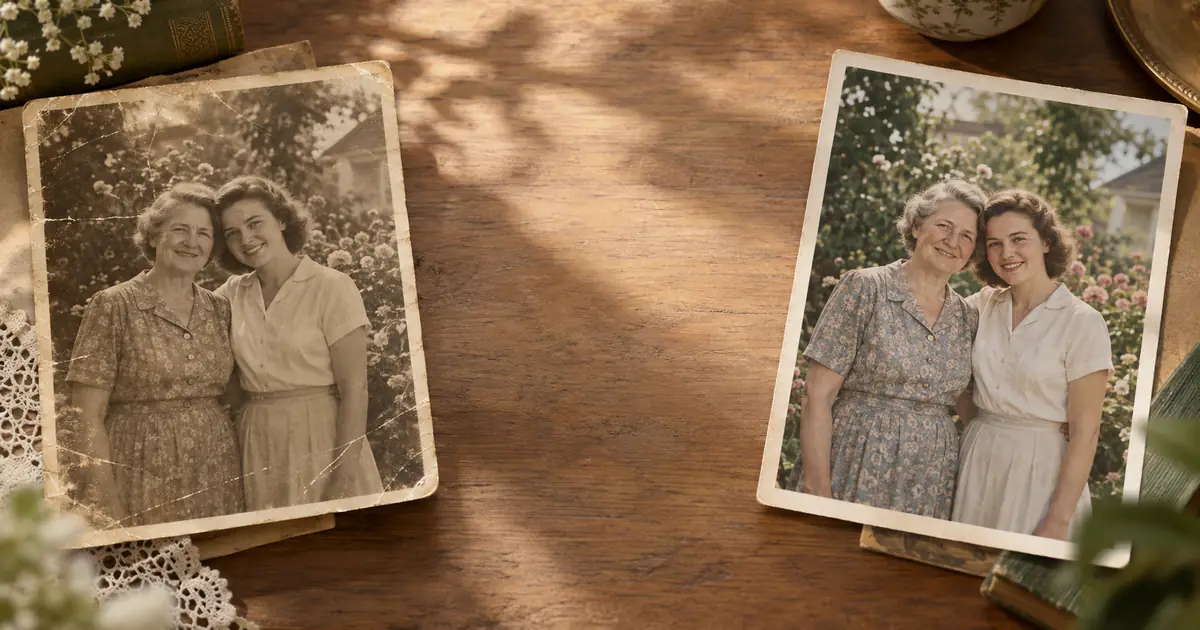
Can Remini fix old, faded, scratched, or damaged family photos? Honest answer: partially. Remini can enhance faces, but old photo restoration needs a different workflow.
ArtImageHub Editorial Team
Prices and project totals in this article are reference estimates. Your current ArtImageHub offer is $9.90 for a one-time payment; review the access terms at checkout before paying. Upload follows payment.
Editorial trust notice: This guide is published by ArtImageHub, an AI photo restoration service charging $9.90 one-time. Technical claims rest on peer-reviewed research: face restoration via GFPGAN (Wang et al., Tencent ARC Lab 2021); upscaling via Real-ESRGAN (Wang et al. 2021).
If you searched "can Remini restore old photos," you are probably trying to fix a family portrait that looks soft, faded, scratched, or damaged. The direct answer is:
Remini can partially improve old photos, especially faces, but it is not a complete old-photo restoration tool.
Quick path: For a damaged family photo, ArtImageHub runs a dedicated restoration workflow in about 60 seconds -- face recovery, damage cleanup, color correction, and HD output for a one-time $9.90 fee.
What Remini Is Actually Good At
Remini became popular because it can make faces look sharper in low-quality images. That is a real strength. If you have a relatively clean portrait where the main issue is softness, compression, or mild blur, Remini can produce a visible face enhancement.
That makes Remini useful for:
- Smartphone portraits that look low resolution
- Social media images with compression artifacts
- Clean scans where the face is the only weak area
- Quick mobile previews before deciding whether a photo is worth deeper work
For those cases, Remini's face-first design makes sense.
Where Remini Falls Short on Old Photos
Old photo restoration is not just face sharpening. Historical prints often combine several problems at once:
- Yellowing or faded photographic paper
- Scratches across faces, clothing, or backgrounds
- Torn corners or missing edges
- Water stains, mold, foxing, or chemical marks
- Low scan resolution from small wallet-size prints
- Color shift from aged film or prints
Remini is not built around that full damage profile. It may make the central face look sharper while leaving the rest of the photograph visibly damaged. In some cases, that creates an odd result: a modern-looking face inside an old, still-damaged print.
Can Remini Repair Scratches or Tears?
Not reliably. Scratch and tear repair requires a model that understands damaged image regions and reconstructs surrounding content. That is closer to inpainting and restoration than portrait enhancement.
If a scratch crosses a cheek or eye, Remini may smooth or hallucinate some face detail. But if the scratch crosses a suit, a background, a handwritten border, or a torn paper edge, it does not have enough restoration-specific context to handle the whole image consistently.
For family archive work, consistency matters. The goal is not just a sharper face; it is a photograph that still feels like the original, only restored.
Remini vs Dedicated Restoration
| Task | Remini | ArtImageHub |
|---|---|---|
| Sharpen a soft face | Yes | Yes |
| Restore old-photo fading | Partial | Yes |
| Repair scratches and stains | Limited | Yes |
| Handle torn or water-damaged prints | Limited | Yes |
| Upscale for HD download | Yes, app-dependent | Yes |
| Desktop-friendly workflow | Limited | Yes |
| One-time restoration workflow | App/subscription dependent | $9.90 one-time |
Remini is best understood as a face enhancement app. ArtImageHub is built as an old-photo restoration workflow.
When Remini Is the Right Choice
Use Remini if:
- The photo is mostly clean
- The face is the only important area
- You want a quick mobile enhancement
- You are not trying to preserve historical texture or full-scene detail
That is a valid use case. A blurry modern portrait and a torn 1950s family print are different problems.
When to Use a Restoration Tool Instead
Use a dedicated restoration workflow if:
- The photo is faded, yellowed, scratched, or stained
- The background and clothing matter, not just the face
- You want a printable HD result
- You are restoring a family archive, memorial photo, genealogy image, or old wedding portrait
- You want a one-time workflow instead of an app subscription habit
ArtImageHub combines face restoration, image cleanup, and upscaling in one pass. The output is meant for old family photographs, not just mobile selfies.
The Practical Answer
Can Remini restore old photos? Partially. It can enhance faces, and that can be helpful. But if the photo has real age damage, Remini is not the whole answer.
For a clean but soft portrait, try Remini. For a faded, scratched, torn, or historically important family photo, use a restoration workflow built for old prints.
Restore your old family photos at ArtImageHub -- $9.90 one-time ->
Results in 30-90 seconds. HD download. No subscription required for the restoration workflow.
Related
- ArtImageHub vs Remini -- direct comparison for old photo restoration
- Remini vs ArtImageHub -- workflow and result differences
- Can ChatGPT Restore Old Photos? -- why chatbots cannot do restoration directly
Share this article
Ready to Restore Your Old Photos?
Try ArtImageHub's AI-powered photo restoration. Bring faded, damaged family photos back to life in seconds.