
Can Photoshop Restore Old Photos? (Yes, But Know the Tradeoff)
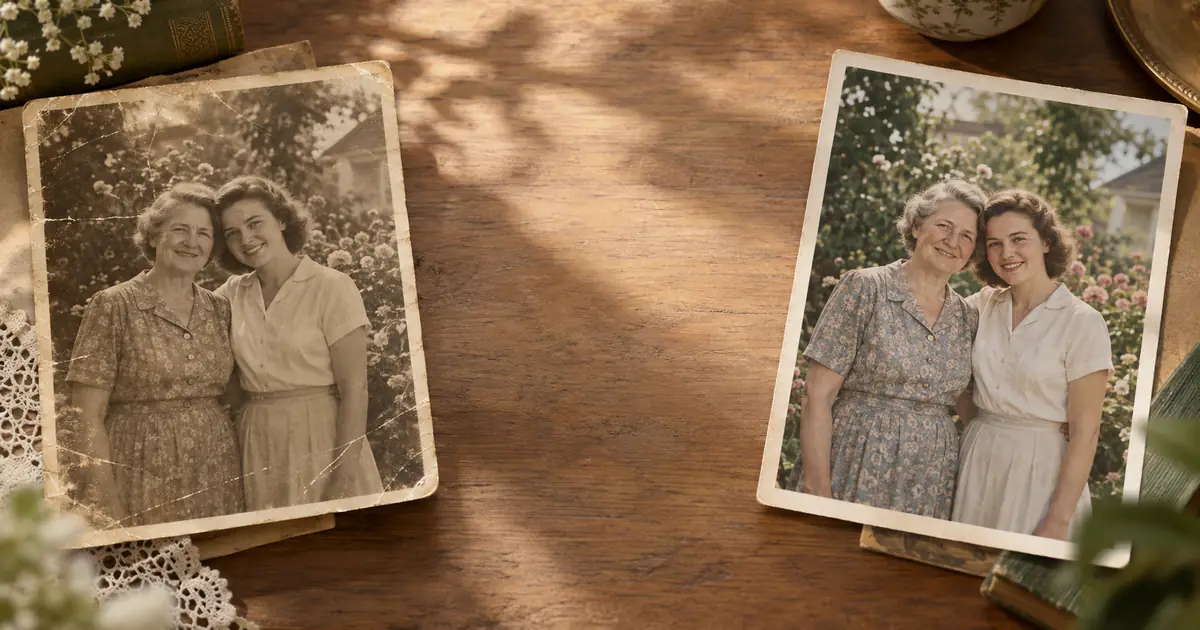
Can Adobe Photoshop restore old, damaged, faded, or scratched family photos? Yes -- with skill and time. Here is when Photoshop is worth it, and when AI restoration is faster.
ArtImageHub Editorial Team
Prices and project totals in this article are reference estimates. Your current ArtImageHub offer is $9.90 for a one-time payment; review the access terms at checkout before paying. Upload follows payment.
Editorial trust notice: This guide is published by ArtImageHub, an AI photo restoration service charging $9.90 one-time. Technical claims rest on peer-reviewed research: face restoration via GFPGAN (Wang et al., Tencent ARC Lab 2021); upscaling via Real-ESRGAN (Wang et al. 2021).
Photoshop absolutely can restore old photos. It has been one of the standard tools for professional photo retouching for decades.
The more useful question is: should you use Photoshop for your old family photo, or is AI restoration the better first step?
Quick path: If you do not already know Photoshop, ArtImageHub restores most family photos automatically in about 60 seconds -- $9.90 one-time, no subscription, HD download.
What Photoshop Can Do for Old Photos
Photoshop can handle nearly every restoration task if the person using it has enough skill:
- Remove scratches with Healing Brush or Clone Stamp
- Rebuild torn corners with Content-Aware Fill and manual painting
- Correct fading with Curves, Levels, and Camera Raw
- Reduce yellowing and color cast with selective color adjustments
- Repair dust, stains, and paper texture
- Sharpen soft faces and enhance local contrast
- Combine multiple damaged scans into one cleaner composite
For a trained retoucher, Photoshop is powerful because it allows pixel-level decisions. That control is exactly why professionals still use it for museum scans, legal evidence, and complex family archive work.
The Tradeoff: Time and Skill
Photoshop's strength is also its cost. A believable restoration takes judgment:
- Which scratches are damage and which lines are original detail?
- How much sharpening makes a face clearer without making it look synthetic?
- Should yellowing be fully removed or preserved as historical tone?
- How do you rebuild a missing background without inventing obvious artifacts?
Those decisions are not automatic. A simple old portrait might take 20-40 minutes. A torn or water-damaged photo can take several hours. A full archive of 50-300 family images becomes a major project.
That is why many people search for "restore old photos without Photoshop" after trying one or two files manually.
What About Photoshop Neural Filters?
Photoshop Neural Filters add useful AI features inside Adobe's workflow. They can help with colorization, skin smoothing, and some face adjustments. They are convenient if you already subscribe to Photoshop.
But Neural Filters do not turn Photoshop into a one-click old-photo restoration system. You still need to inspect the output, correct artifacts, repair non-face damage, and manage the overall look manually.
For old family photographs, specialized restoration models are often faster for the first pass:
- GFPGAN for face restoration
- Real-ESRGAN for upscaling degraded images
- Restoration-specific cleanup for fading, scratches, and scan damage
Photoshop is excellent after that first pass if you want fine control.
Photoshop vs AI Restoration
| Task | Photoshop | ArtImageHub |
|---|---|---|
| Scratch repair | Yes, manual | Yes, automated |
| Face restoration | Yes, manual/Neural Filters | Yes, GFPGAN-based |
| Fading and yellowing correction | Yes | Yes |
| Torn edge repair | Yes, manual | Yes, automated for common cases |
| Skill required | Medium to advanced | None |
| Time per photo | 30 minutes to several hours | 30-90 seconds |
| Cost | Adobe subscription | $9.90 one-time |
| Best use | Expert control and final refinement | Fast family-photo restoration |
Neither option is fake. They solve different versions of the problem.
Best Workflow: AI First, Photoshop Second
For important images, the most practical workflow is often:
- Scan the original at high resolution.
- Run an AI restoration pass to recover faces, contrast, and resolution.
- Open the AI output in Photoshop.
- Use Healing Brush, Clone Stamp, Curves, and masks for final corrections.
- Save both the original scan and the restored version.
This gives you the speed of AI plus Photoshop's final control. Instead of spending hours on basic reconstruction, you spend Photoshop time only where human judgment matters.
When Photoshop Is Worth It
Use Photoshop if:
- You already know the software
- The image has complex damage where family accuracy matters
- You need to preserve or document every manual change
- You are preparing a museum, archive, legal, or publication-quality restoration
- You want full creative control after AI restoration
Photoshop is the right tool when the goal is exact retouching, not just a strong family-photo result.
When AI Restoration Is the Better First Step
Use AI restoration first if:
- You are not a Photoshop user
- You have a batch of family photos
- You need a printable result quickly
- The damage is typical: fading, scratches, soft faces, low resolution, yellowing
- You do not want an ongoing software subscription
For most family-history projects, this is the realistic path. The value is not just cost; it is finishing the archive instead of getting stuck on the first few photos.
The Practical Answer
Can Photoshop restore old photos? Yes. It is powerful and still valuable.
Should most people start there? Usually no. For ordinary family photographs, AI restoration is faster, cheaper, and easier. Photoshop becomes most useful as a second step for expert refinement.
Restore your old family photos at ArtImageHub -- $9.90 one-time ->
Results in 30-90 seconds. HD download. No Photoshop skills required.
Related
- ArtImageHub vs Adobe Photoshop -- full workflow comparison
- ArtImageHub vs Photoshop Neural Filters -- AI tools inside Photoshop
- How to Restore Old Photos Without Photoshop -- beginner workflow
- Can Remini Restore Old Photos? -- mobile enhancement vs restoration
Share this article
Ready to Restore Your Old Photos?
Try ArtImageHub's AI-powered photo restoration. Bring faded, damaged family photos back to life in seconds.