
Can Midjourney Restore Old Photos? (Honest Answer)
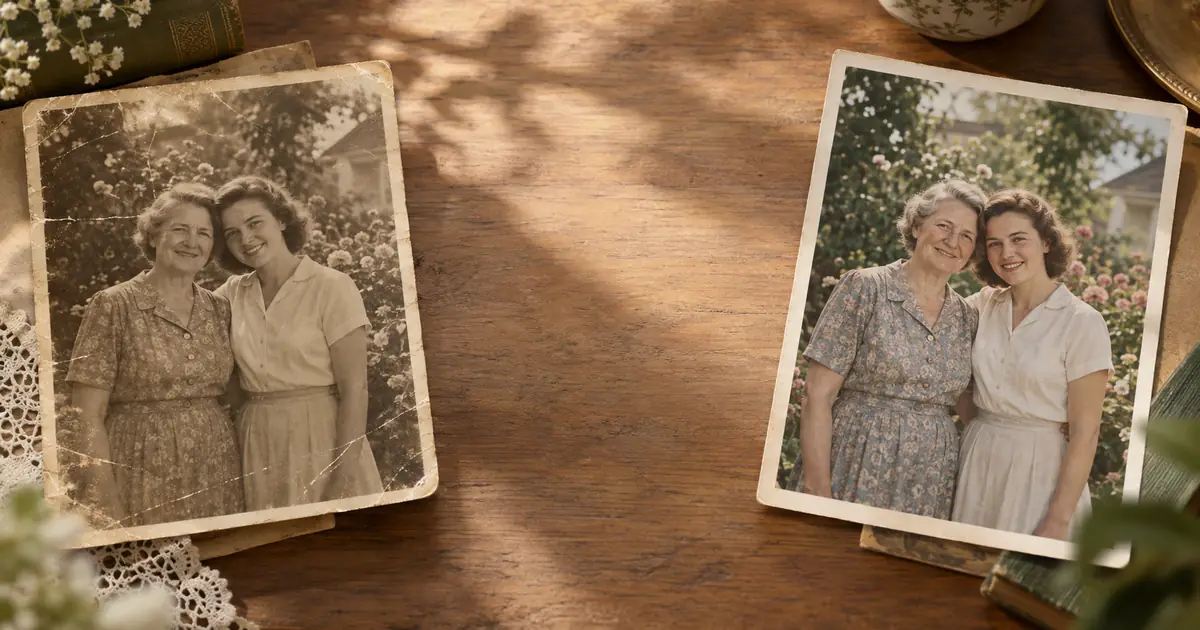
Can Midjourney fix old, faded, or damaged family photos? Honest answer: no — here's why image generation AI is the wrong tool, and what actually restores old photographs.
ArtImageHub Editorial Team
Prices and project totals in this article are reference estimates. Your current ArtImageHub offer is $9.90 for a one-time payment; review the access terms at checkout before paying. Upload follows payment.
Ready to Restore Your Old Photos?
Try ArtImageHub's AI-powered photo restoration. Bring faded, damaged family photos back to life in seconds.
Publisher disclosure: ArtImageHub publishes this guide and offers paid photo restoration. Research references explain techniques, not a guarantee of our current processing pipeline or your result.
Midjourney is one of the most powerful AI image generation tools available. If you're wondering whether it can restore old, faded, or damaged family photographs, here's the direct answer:
Restore a digital copy: Restore Your Photo — $9.90 one-time, with payment before upload. Review included access and download limits at checkout. Processing time and results depend on the source.
Midjourney cannot restore old photographs. It can generate stunning new images — but restoration of an existing photo is a fundamentally different task that Midjourney wasn't designed for.
What Midjourney Does
Midjourney is a text-to-image AI — you provide a text prompt, and it generates a new image from scratch. It's remarkable at this: photorealistic scenes, artistic styles, creative compositions, portraits in various aesthetics.
Some Midjourney features that seem related to restoration:
Image prompting (/imagine with an image URL): You can provide an existing image as a style or compositional reference. Midjourney uses it as inspiration for generating a new image — not to edit or restore the original.
Vary (subtle/strong): Creates variations of a generated image. Applies to Midjourney-generated images, not to uploaded photos.
Upscaling: Midjourney's upscalers increase the resolution of Midjourney-generated images. They're not designed for upscaling degraded real-world photographs.
Inpainting (via web editor): Midjourney's web interface allows editing specific regions of generated images. Applying this to an old family photo would replace sections with AI-generated content — producing a composite that no longer accurately represents the original.
Working from a digital scan? See the restoration workflow. ArtImageHub requires a $9.90 one-time payment before upload; check checkout for included access. Results depend on the surviving detail in the source.
Why Midjourney Can't Restore Photos
The architectural reason: Midjourney is a generative model, not a restoration model.
These are different tasks:
Generation: Create new visual content from a prompt → Midjourney's strength
Restoration: Reconstruct degraded information in an existing photo → requires image-to-image restoration models
When you upload an old family photo to Midjourney (as an image prompt), Midjourney uses it as a reference to generate a new image — typically producing something that looks vaguely similar in composition or style, but is a new AI-generated image, not the original photo with damage repaired.
The output is not your grandmother's portrait with scratches removed. It's an AI hallucination of what someone like your grandmother might look like — generated, not restored.
The Specific Problem with Using Midjourney for Family Photos
Beyond the technical limitation, there's a more fundamental issue:
Generative AI creates new content; it doesn't recover original information.
When a 1940s portrait has a face that has softened over decades, the original information is partially gone. CodeFormer — the model in ArtImageHub — was trained specifically to reconstruct that type of historical facial degradation based on patterns learned from thousands of similar photographs. It recovers what was originally there.
Midjourney would generate a new face that looks plausible — but it wouldn't be the person in the photo. For genealogy or family history purposes, this distinction matters enormously.
What Midjourney Is Actually Useful For (Adjacent to Old Photos)
Style-matched new portraits: If you have an old photo and want a new artistic portrait inspired by it, Midjourney's image prompting can produce beautiful results.
Historical scene recreation: Describe a historical setting and Midjourney can render it.
Creative interpretations: If you want an artistic, stylized version of an old photo rather than a faithful restoration, Midjourney can produce interesting results — with the understanding that the output is an interpretation, not the original.
These are creative uses — not restoration.
What Actually Restores Old Photos
CodeFormer — reconstructs face detail from historically degraded photographs. Trained on old photo degradation patterns, not general image generation.
GFPGAN — corrects systematic fading, yellowing, and color shift specific to aging photographic prints.
Real-ESRGAN — AI upscaling designed for degraded real-world images.
These models illustrate restoration research; their existence does not establish ArtImageHub’s current pipeline. A creative reconstruction should be labeled separately from a source-faithful restoration.
Comparison
| Task | Midjourney | ArtImageHub |
|---|---|---|
| Generate a new stylized portrait | ✅ Excellent | — |
| Restore original photo with damage repaired | ❌ No | ✅ Yes |
| Reconstruct face detail from old photo | ❌ Generates new face | ✅ Reconstructs original |
| Fix fading and yellowing | ❌ No | ✅ Yes |
| Remove scratches from old prints | ❌ No | ✅ Yes |
| Colorize black-and-white (accurately) | ❌ Generates interpretation | ✅ Yes |
Restore your old family photos at ArtImageHub — $9.90 one-time →
Results in 30–90 seconds · HD download · 30-day guarantee
Related
- Can ChatGPT Restore Old Photos? — ChatGPT/GPT-4o analysis
- Can Google Gemini Restore Old Photos? — Gemini analysis
- Can Microsoft Copilot Restore Old Photos? — Copilot analysis
Quick method comparison: AI vs DIY vs Professional
| Method | Time per photo | Cost | Skill required | Result quality |
|---|---|---|---|---|
| AI (ArtImageHub) | Processing time varies | $9.90 one-time; access shown at checkout | Upload a digital copy | Results depend on source quality |
| Manual photo editor | Depends on the repair | Check the editor’s current price | Editing experience | More direct control; quality depends on the edit |
| Professional retoucher | Agree a delivery date | Request a quote | Provide a repair brief | Ask for examples and a revision policy |
| Local photo service | Ask the provider | Request a quote | Specify scan and print needs | Check a sample before ordering prints |
Choose a method by the work needed, not a universal quality or speed claim. Compare a digital result with the source; use a retoucher when a specific repair needs manual judgment, and a photograph conservator when the physical original is fragile or historically important.
For era-specific damage profiles, see Old Photo Restoration by Decade complete index.
For damage-specific recovery protocols, see Old Photo Damage Recovery by Type complete guide.
Try ArtImageHub directly — $9.90 one-time for photo restoration; access and download limits are shown at checkout.
Share this article
Ready to Restore Your Old Photos?
Try ArtImageHub's AI-powered photo restoration. Bring faded, damaged family photos back to life in seconds.
Related Articles
7 min read
Can ChatGPT Restore Old Photos? (Honest Answer + What Actually Works)
8 min read
Can Google Gemini Restore Old Photos? (Honest Answer + What Actually Works)
8 min read
Can Google Photos Restore Old Photos? (Honest Answer + What Actually Works)
Restore Your Old Photos
Try ArtImageHub's AI-powered photo restoration. Bring faded, damaged family photos back to life in seconds.